Facebook Ads Analysis Tool
Track ad performance, identify winning creatives, and scale your best Facebook ads. All in one dashboard.


Helping creators & businesses everywhere work easier
















What is Denote's Facebook Ads Analysis Tool?
Why choose Facebook Ads Analysis Tool?
Key Benefits of Facebook Ads Analysis Tool
Denote brings together the research, spy, and analysis steps that most tools handle separately, so you can go from finding an ad to understanding it without leaving the platform.
Filter Facebook Ad Library Before You Save
Spy on Competitor Facebook Ads with Real Data
Instantly Analyze Any Facebook Ad for Creative Insights
Key Features of Facebook Ads Analysis Tool
Filter Facebook Ad Library by Views, Spend & Days
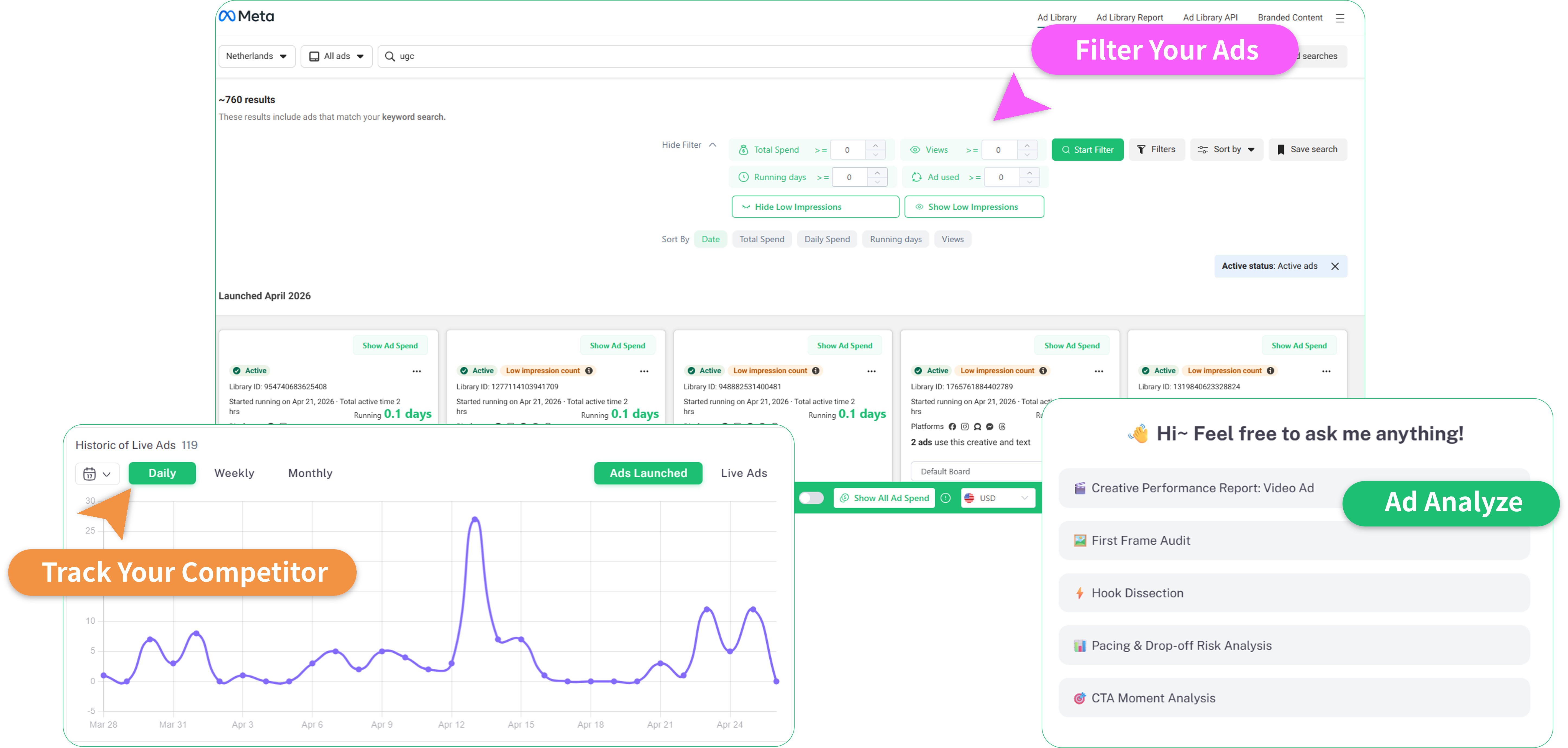
Don't need to scrolling through thousands of irrelevant ads. Denote’s Chrome extension injects a powerful, native filter panel directly into the Facebook Ad Library page. Filter ads by views, ad spend, and running days, before you save a single ad.
Analyze Your AdsOne-Click Ad Save to Your Personal Library
Saved ads never expire and are organized by platform, format, and status, so your research stays useful long after you first collect it. You can group saved ads into boards and share collections with your team or clients via a simple link.
Analyze Your AdsUnlock Winning Strategies with Competitor Ad Spy
Gain a transparent window into your competition by tracking real-time impressions, engagement, and targeting strategies, giving you the clarity needed to decode their exact moves as they happen.
Analyze Your AdsDecode Winning Strategies
Ad Analyze is a conversational assistant built for ad analysis. Ask it anything, why the hook works, what the creative structure is, how the offer is framed, or how you might adapt it for your own brand.
Analyze Your AdsHow to Use Facebook Ads Analysis Tool
Getting started takes under two minutes. Install the extension once and Denote's full analysis toolkit is ready whenever you're browsing Facebook ads.
Install the Denote Chrome Extension
Add Denote's Chrome extension from the Web Store and pin it to your toolbar. Once installed, it activates automatically on Facebook Ad Library.
Filter Facebook Ads or Run Competitor Spy Reports
Use Denote's built-in filter panel to narrow results by running days, views, or ad spend, then save the ads that catch your attention in one click. For deeper competitor research, go to Ad Spy tool, enter a brand name, and get an insight of their Facebook ad activity.
Analyze Ads with Denote Ad Analyze
Take any ad you've saved or found and bring it into Denote. Ask questions, discuss the creative strategy, and get specific feedback on hooks, offers, and formats.
What Users Say About Denote's Facebook Ads Analysis Tool
Frequently Asked Questions (FAQs)
Here are FAQs (Frequently Asked Questions) for Denote Facebook Ads Analysis Tool:
Start Analyzing Facebook Ads with Denote
Filter the Facebook Ad Library by performance signals, spy on competitor ad strategies, and ask Denote AI to break down any ad you find. Everything you need for Facebook ads analysis just in one place, free to start.
Analyze Your Ads