Swipe File: Save & Share Ad Inspirations Efficiently
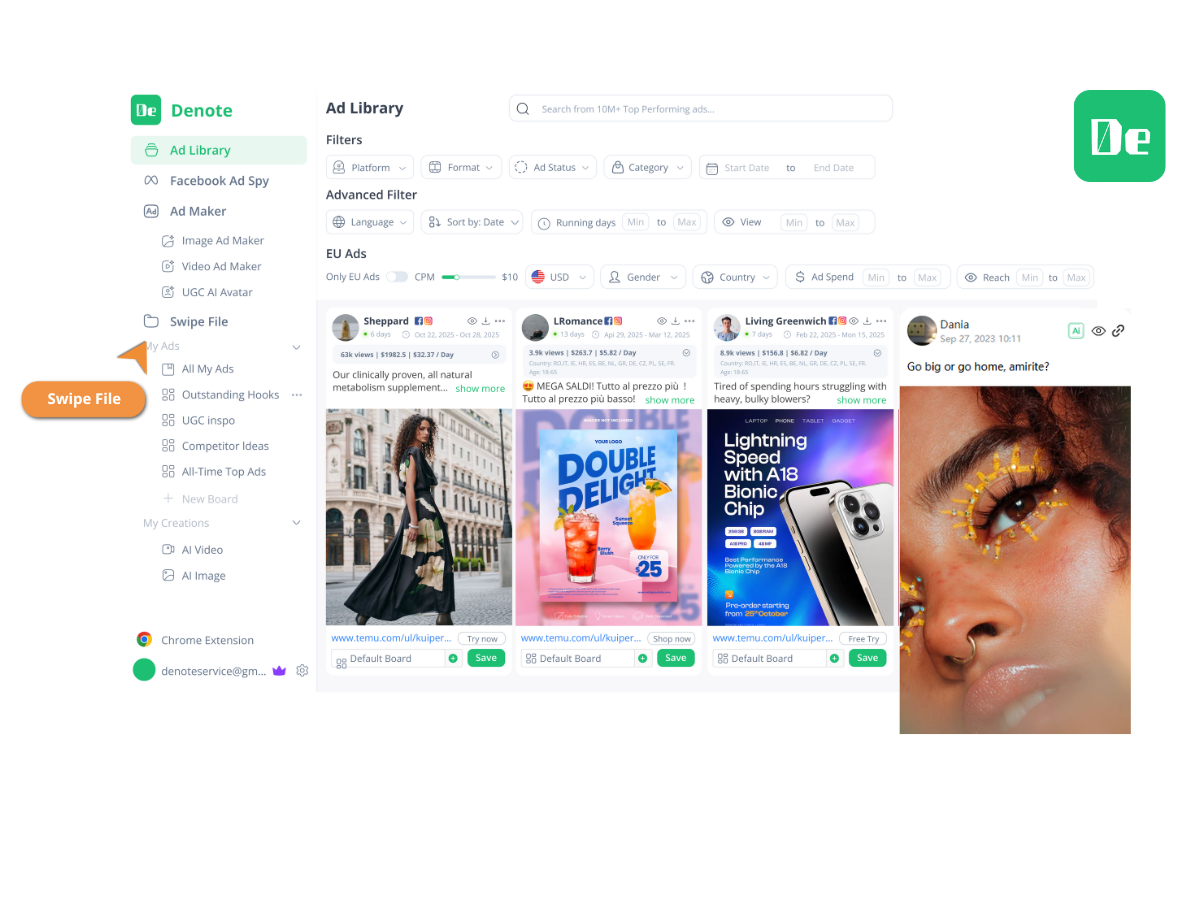
Denote Swipe File lets marketers save and share ad creatives from Facebook Ad Library, TikTok and more. Save time, unlock ideas, and elevate creative workflow.


Helping creators & businesses everywhere work easier
















What is Denote swipe file?
Why Use Denote swipe file?
What Makes Our swipe file Stand Out?
Swipe file stands out by offering a simple way to capture ideas, study trends, and support fast creative thinking across different ad platforms. It helps teams move faster, stay aligned, and build a richer inspiration library with minimal effort.
Multi-platform Creative Capture
Easy Team Collaboration With No Learning Curve
Context-rich Inspiration Tracking
Great marketers all need a Swipe File!
Swipe File helps you deeply understand ad copywriting
Swipe Files can effectively help you grasp the fundamental principles of great ads, including copywriting and visual design. For example, you can add some excellent Facebook ads to your swipe file, gathering them all in one place. This will make it easier for you to spot their commonalities and better understand the reasons for their success. Additionally, viewing a large number of ad visuals and copy designs can provide you with a clearer sense of direction when creating new ads.
Start Using Swipe FileAlways stay informed about competitors' moves
Swipe Files allow you to monitor and keep an eye on your competitors' marketing activities. You can save competitors' Facebook ads and observe changes in their ad strategies or copy. This can help you stay updated on competitors' actions, and if you notice certain strategies yielding good results, you might be able to borrow similar approaches in your marketing.
Start Using Swipe FileSwipe Through Endless Creative Inspiration
A Swipe File helps you spot standout ad creatives as you browse and save them instantly to your swipe board. Over time, it becomes a focused library of ideas you can revisit for trend insights and fast creative brainstorming.
Start Using Swipe FileOrganized Swipe Workflow
View ads, then save, download, and share them in a clean, structured flow. Denote uses an efficient Swipe File system that helps you organize ideas, compare styles, and build stronger creative strategies with less effort.
Start Using Swipe FileHow to Use Denote swipe file in 3 Easy Steps
This guide shows how to use the swipe file in a simple workflow. Each step helps you collect, organize, and share creative ideas without extra effort. Follow the three steps below to build a clean and useful inspiration library.
Save Ads to Your Swipe File While Browsing
Add any ad you find online directly into your swipe file with a single click. This quick action keeps your ideas in one place and prevents good content from being lost or forgotten.
Add Tags or Notes Inside Your Swipe File
Open your swipe file and apply tags, notes, or groups to each item. This helps you sort ads by concept, style, or platform, making later review and comparison smoother and easier.
Share and Review Your Swipe File With Your Team
Use your swipe file to collaborate with teammates. Share the collection, exchange comments, and discuss ideas in one shared view, allowing the team to align faster on creative decisions.
What Users Say About Denote swipe file
Swipe File FAQs
Frequently Asked Questions About swipe file
Start Building Your Swipe File Today
Create a clean space for your best ideas and keep every ad example within easy reach. A swipe file helps you plan faster, stay inspired, and organize your creative workflow with less effort.
Try Swipe File Now