Video to Text - Free AI Video Transcription

Convert video to text using Denote AI-powered tool. Whether you need to transcribe YouTube、Tiktok videos, convert online videos to text, or get free video transcription services, Denote provides fast and accurate results for free.
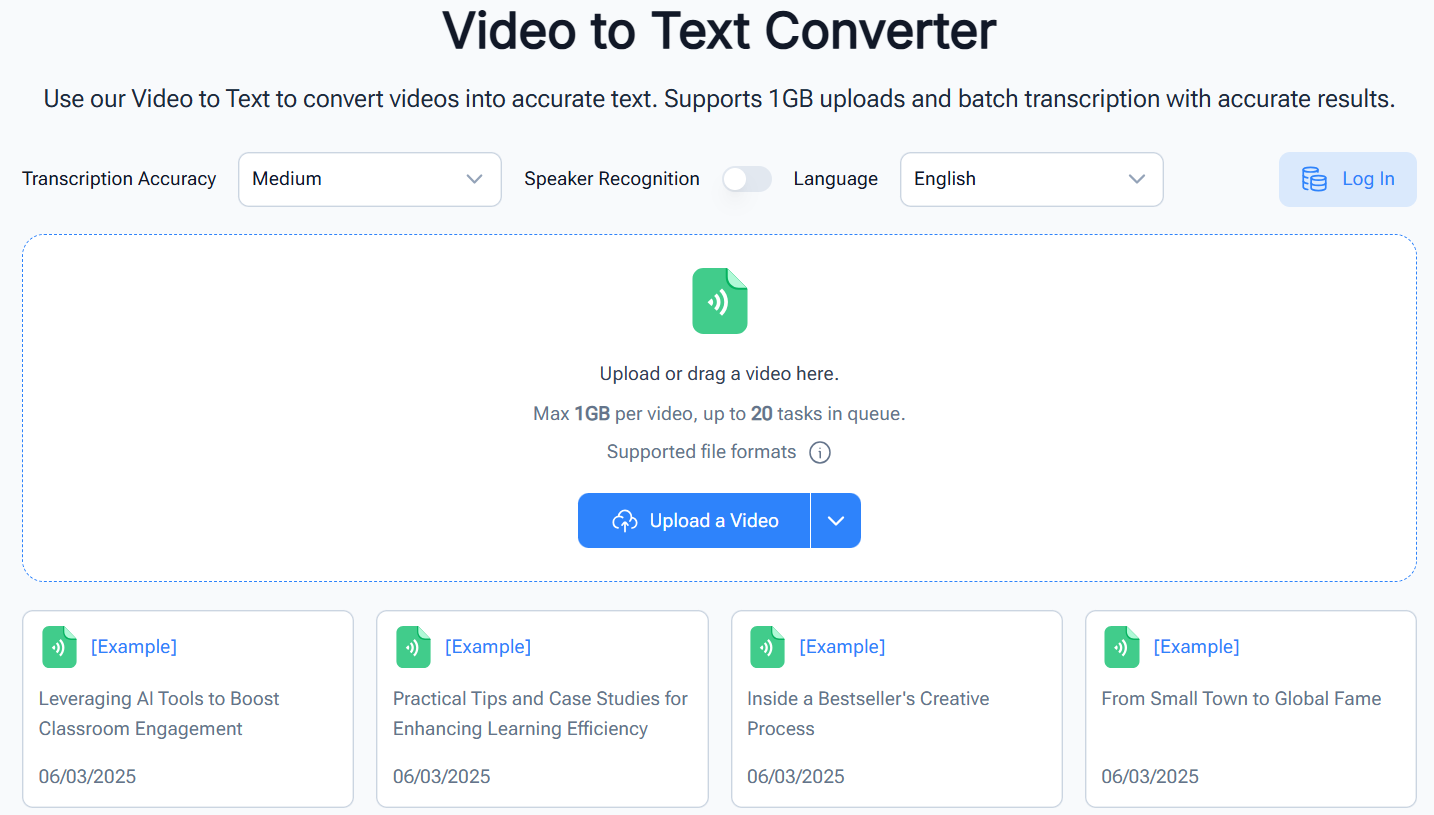
Hero Dashboard

Struggling to Transcribe Convert Video to Text?

Without Denote video to text tool, converting video like YouTube、Tiktok videos or online video to text can be time-consuming and tedious. Denote AI video to text tool can save this process, making it easier to transcribe video to text quickly. Whether you're looking for free video to text conversion or need to transcribe online video to text, Denote AI-powered converter will save you time and provide accurate results.
Video to Text - Free AI Video Transcription - Denote

Features

Turn Video Content into Accurate Text Instantly

Turn Video Lectures into Readable Notes

Turn Video Lectures into Readable Notes

Students and professionals can save time by converting long lectures into written notes. This makes it easier to review, highlight, and search important points without rewatching the video multiple times.

Start Using Video to Text

Convert Meetings into Actionable Documents

Team meetings often contain important discussions and decisions. By turning them into text, users can easily share notes, assign tasks, and ensure nothing is overlooked after the meeting ends.

Start Using Video to Text
Convert Meetings into Actionable Documents

Create Blog Posts from Video Content

Create Blog Posts from Video Content

Content creators can transform their recorded videos into ready-to-edit text drafts. This makes it simple to repurpose video ideas into blogs, newsletters, or scripts for wider audience reach.

Start Using Video to Text

Support Accessibility and Language Learning

Video content can be difficult for people with hearing challenges or those learning a new language. Converting video into text provides an inclusive and supportive way to follow along and practice reading skills.

Start Using Video to Text
Support Accessibility and Language Learning

How to Use the Video to Text Converter?

Convert video to text in just 3 simple steps, getting transcription fast and easy.

How to Use the Video to Text Converter?: Step1 - Step 1: Paste the Video URL or Upload a Local Video

Step 1: Paste the Video URL or Upload a Local Video

Copy and paste the URL of your YouTube, TikTok video, online video, or upload a video from local files to start converting the video to text.

How to Use the Video to Text Converter?: Step2 - Step 2: Click the Transcript Button

Step 2: Click the Transcript Button

Click the "Transcript" button, and the AI will transcribe the video to text instantly, making it easy to convert video to text, including YouTube, TikTok, and other online videos.

How to Use the Video to Text Converter?: Step3 - Step 3: Copy or Download the Transcript

Step 3: Copy or Download the Transcript

Once the transcription is done, copy the text or download it as a file. Easily transcribe video to text and access your script in seconds.


Real Customers Reviews

User Reviews for Denote Video to Text Converter

Here are six user reviews for the Denote Video to Text Converter:


FAQ

Frequently Asked Questions

Got a question? We've got answers. Or Try it now!

Frequently Asked Questions

Denote video to text converter is an AI-powered software that allows users to convert video to text quickly and accurately. It can transcribe YouTube、Tiktok videos, online videos, and locally uploaded files into text. Whether you need free video to text conversion or a professional transcription service, Denote converter makes it easy.

Yes, this video to text converter offers free video transcription options. You can transcribe video to text without any cost for needs.

Absolutely. The converter allows you to transcribe YouTube、Tiktok videos to text effortlessly. Simply paste the YouTube、Tiktok video URL, and the AI will convert the video to text quickly.

The AI video to text converter is highly accurate, using advanced AI to ensure precise transcriptions. It works well for a wide range of video content, including online video, YouTube、Tiktok videos.

Yes, after you convert video to text, you can download the transcript as a file or copy it directly. This makes it easy to save and share your video-to-text transcriptions.

Yes. The video to text tool can process long videos, such as lectures, podcasts, meetings, and tutorials. The AI can analyze it and produce a structured transcript. This makes long-form information easier to review, search, and reuse in writing or research work.