
A shopper looking at a linen dress on Facebook has a question a studio photograph might never answer: what happens to the skirt when I sit down? That question makes a better starting point for finding Facebook clothing ad examples than “show me popular fashion ads.” Look for one advertiser selling variety, one explaining fit and one showing the garment in use. Each calls for a different shot on your next shoot.
Facebook clothing campaigns worth looking up
SuperStep used outfit changes to show the range. Meta describes models moving through several looks with quick transitions in a campaign that included Facebook and Instagram Reels and Stories in Türkiye. The relevant production decision is continuity: keeping a model recognizable across cuts makes the change of clothes easy to see. For a retailer launching a collection, brief the same camera position and movement for each outfit. For a store selling one dress, a sequence of interchangeable looks might leave the most important question about that specific dress unanswered. Meta's SuperStep case study.
Mavi gave shoppers a way to distinguish denim styles. Its campaign used photos and video of its brand ambassador wearing Mavi clothing, with captions and on-screen text about denim styles. Someone browsing jeans has to match words such as “straight” and “wide” to an actual silhouette. A production team could adapt that idea with a locked-off, full-length shot of each cut and a legible label. That is our proposed adaptation. The campaign comparison Meta describes involved a mix of formats, so its results cannot tell you what adding a single label would do for your store. Meta's Mavi case study.
A fit detail you can actually see. Under510's video preview shows a model from head to toe. Look at where the trousers meet the shoes. That relationship is visible even in a still frame, which makes it a useful reference when briefing a length or inseam shot.
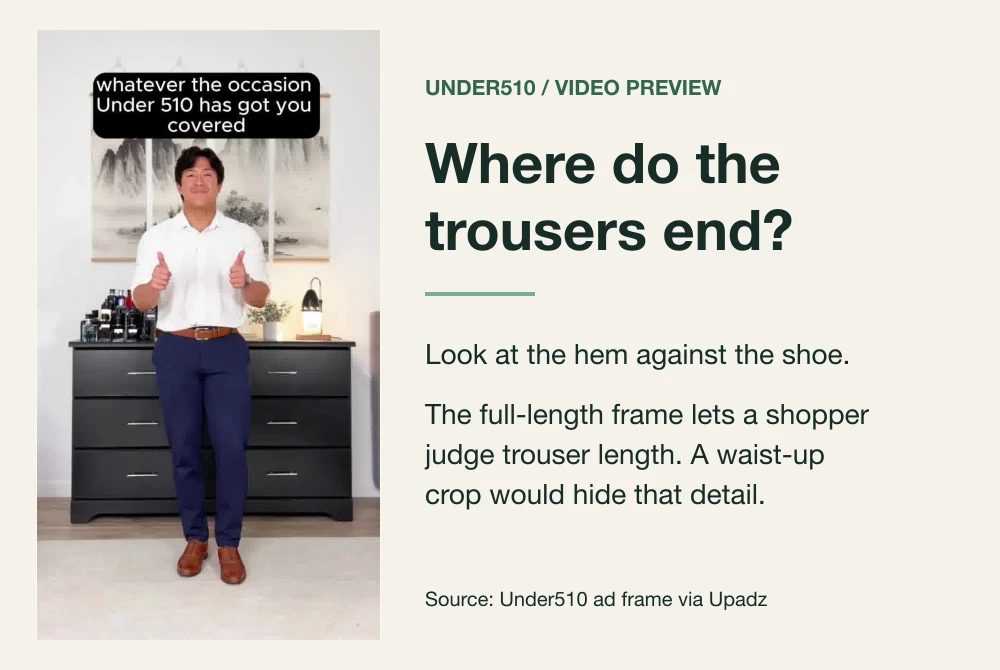
Video preview frame from Under510, reproduced in Upadz's clothing ad guide. Meta Ad Library record.
| What the shopper is deciding | Reference to collect | Detail to note for the photographer |
|---|---|---|
| Which look suits the occasion? | Outfit change or styling sequence | What stays in the same place across the cut? |
| Which cut should I order? | Side-by-side fit or labeled silhouette | Can I see the hem and waistband at the same time? |
| Will this work for everyday wear? | Garment shown during one ordinary action | Can I see the relevant detail before and after the movement? |
Find a usable example in the Facebook Ad Library
Open the Meta Ad Library, choose the country you sell in and start with a garment you actually stock. If you are preparing a shoot for wide-leg jeans, try the garment name first. Then look up a Page you recognize from the results. The first search helps you discover advertisers. The second helps you see how one advertiser explains several products in its own vocabulary. Record the Page, Library ID, platform labels and observation date alongside the source link.
Now look beyond the thumbnail. Play the video or inspect the individual cards. Write down the first moment you can answer the shopper's question. “The hem clears the shoe when the model walks” gives an editor a usable instruction. “Great styling” gives them very little. If a still hides the garment under a coat, keep it as a layering reference only. A sample of three clips that answer three different questions is more useful on set than twenty near-identical product portraits.
What an eCom keyword search actually returned
On November 26, 2026, we chose eCom in the Denote Ad Library workspace and searched linen dress. Several visible results pointed to SooLinen and used the same destination title about linen dresses and caftans. The cards we inspected carried an AppLovin label. That search identified a relevant merchant and alternative product vocabulary, but it did not establish Facebook placement. To include SooLinen in a Facebook-specific brief, the next step would be to find a matching Meta record and retain its ID.
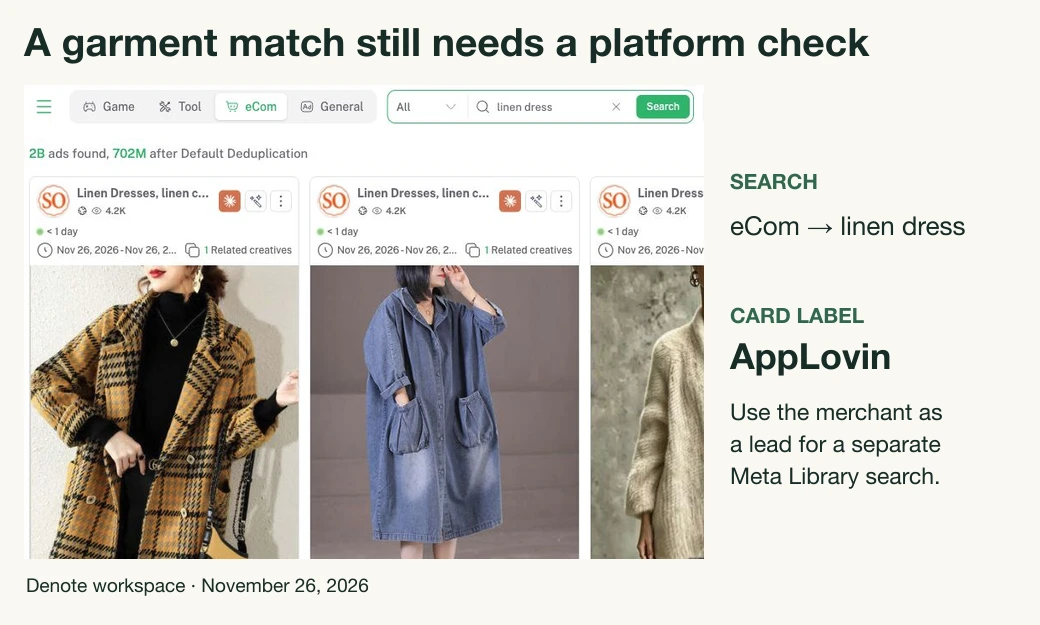
The same merchant title appears on different garments. Inspect each card before selecting a reference.
Changing the search to tote bag illustrated a different problem. A QVC result described a travel tote for a Ninja SLUSHi appliance. Another result, from Agreeconsent, described a canvas bag with pockets and an adjustable strap and displayed Facebook among several platform labels. Both results made sense for the query. Only the second addressed the kind of everyday fashion accessory a clothing store might sell. Its copy made a claim about organization. To turn that claim into a shot, lay out a laptop, notebook and keys, then show where each goes. That shot is an editorial proposal, not footage we observed in the ad.
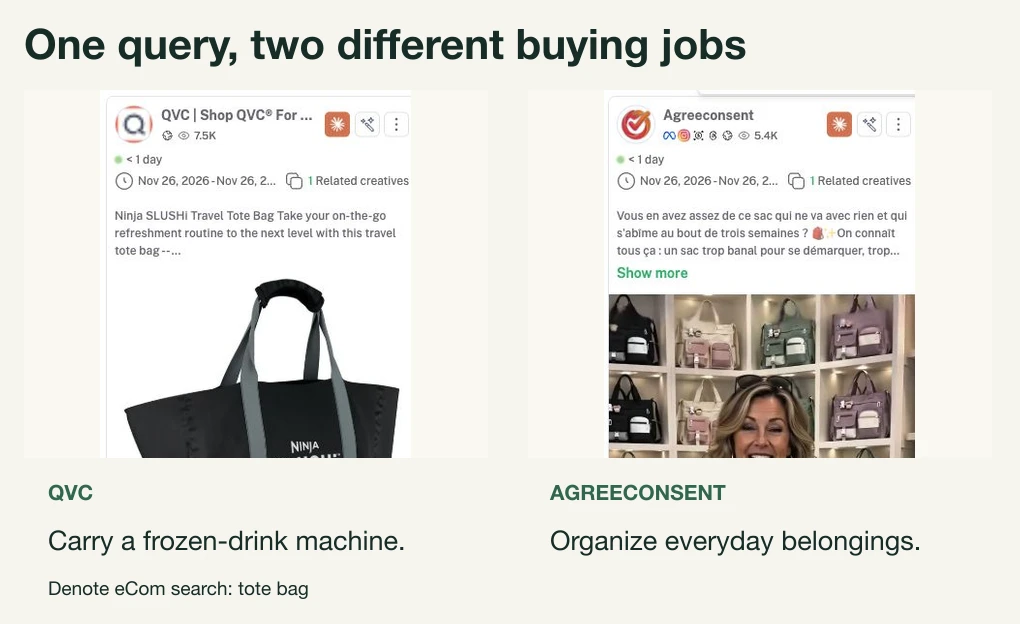
The same query returns an appliance carrier and an everyday bag. Only one fits the fashion brief.
This is where the category controls in Denote help. Game, Tool, eCom and General give you different places to begin. Select eCom to look for retail products, then inspect the advertiser, destination and platform on the individual card. When several results repeat a product title, keep one until you can identify a meaningful difference in the creative. A repeated card is a poor reason to allocate another shoot day to the same idea.
A worked shoot brief for one linen dress
Suppose your team sells a calf-length dress with side pockets. Customers ask whether the fabric pulls when the pockets hold a phone. A discount headline would leave that question open. Here's an original two-take brief you could send to a photographer.
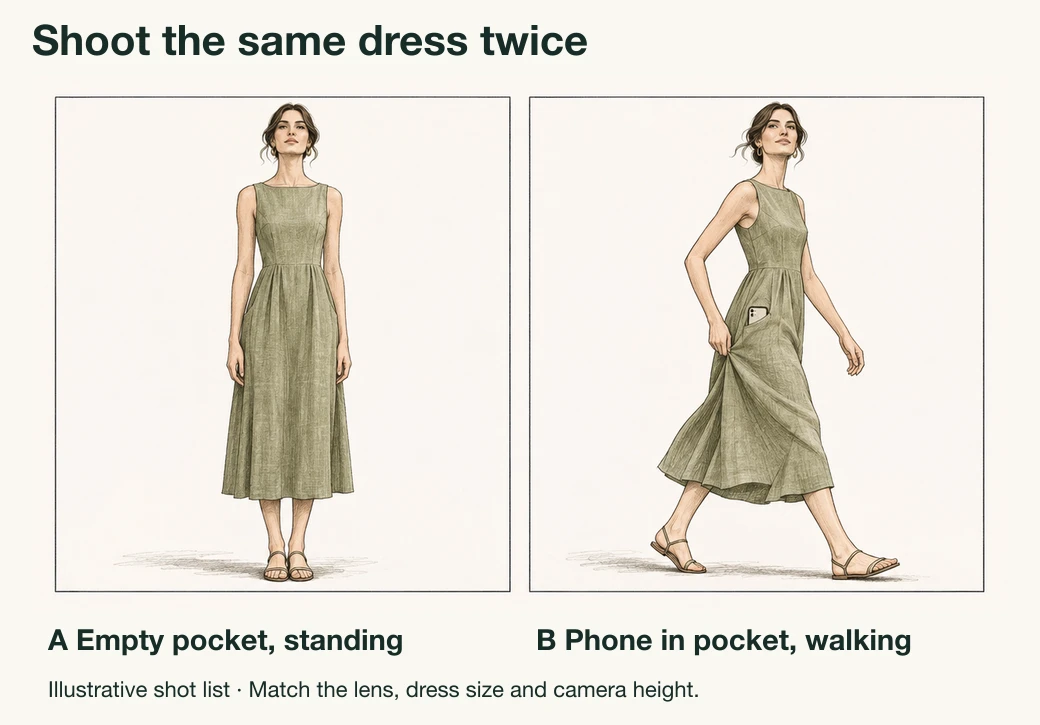
Suggested shoot: keep the framing fixed so the viewer can compare the side seam as the model moves.
- Take A, the catalog view. Use a fixed full-length frame. The model turns once wearing the dress with empty pockets. Record the garment size, model's height, shoes and camera position so the second take can match.
- Take B, the pocket demonstration. Keep the same setup. Show the model sliding a real phone into one pocket and walking across the frame. Allow enough time for a shopper to see how the side seam hangs. Use a phone that fits the garment being sold.
- Choose the destination. Link both ads to the same dress in the color shown. Include measurements and a clear size selector on that page. A shopper who clicked for the pocket demonstration should recognize the garment immediately.
- Decide what would change your mind. If the aim is to help buyers choose, compare product-page visits and subsequent add-to-cart behavior under comparable delivery conditions. If the demonstration attracts clicks but shoppers repeatedly ask about sizing, the next shoot should answer the missing size question.
Keep the source ad, the shopper's question and the one shot you intend to produce together. When you return to those Facebook clothing ad examples next season, you'll know which idea can transfer to a new garment and which depended on the original product.


