
To research TikTok app install ads, start with the first thing a new user wants to finish. “Turn this receipt into a readable PDF” will lead you to different references than “scan the square code on this café table.” Both products might call themselves scanners. They need different opening scenes, different app footage and different promises on the store page.
Use TikTok's own creative tools to establish that an example belongs on TikTok. Use a broader ad library to discover competing apps and the language people use to describe the task. Here's how to combine the two when you have to deliver a brief to an editor.
Find TikTok examples that match the reason to install
In TikTok Creative Center, open Top Ads. Search for the product or task, select a relevant region and use a campaign objective filter where available. Open the detail view on a candidate and retain its source link. TikTok describes Top Ads as a selected collection. A search can help you find an example, but an empty search tells you little about whether a competitor has ever run a campaign. TikTok's guide to using Top Ads.
These documented TikTok app campaigns illustrate how differently an install can be motivated:
- Battery Charging Animation offers a visible change to the phone itself. Infinity Technologies commissioned creator videos for an app that changes what users see while the phone charges. A useful question for your own brief is whether a viewer could recognize the payoff from across a room. For an app with a visual result, you could shoot the same phone before and after applying the setting. That's a proposed treatment based on the product's function. TikTok's Infinity Technologies case study.
- Bliq gives a rider a choice to make. The app helps riders compare ride options and book. For an iOS install campaign in Warsaw, the team tested generic creatives alongside locally produced creator videos. The transferable detail is the situation: a rider has somewhere to go and needs to make a choice now. A brief could show the starting point, the options and the one the rider picks. Keep prices and availability grounded in the location you film. TikTok's Bliq case study.
Uni Compare starts with something the viewer can do. In the frame below, a presenter asks a university trivia question and gives the viewer two choices. The viewer can play along immediately. A receipt app could borrow the order of events: show a paper receipt and ask which line the expense report needs, then demonstrate how the app captures it.
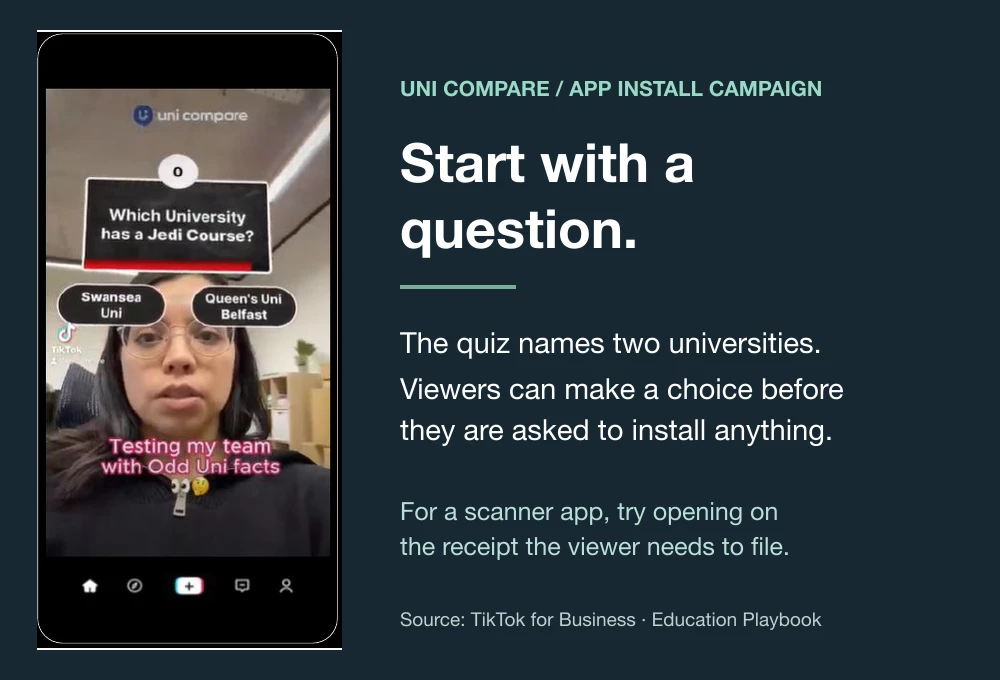
Campaign frame from TikTok for Business's Education Playbook, page 13. The receipt example is a proposed adaptation.
When taking notes, separate the reason a person might install from the action the advertiser wants them to take. “Install” can sit under either campaign. The interesting difference is what changes for the person holding the phone.
A Tool search for “scanner” turns up two different briefs
On November 26, 2026, we opened the Tool category in the Denote Ad Library workspace and searched scanner. One visible result, QR Scanner & Barcode Reader, described reading QR codes and barcodes and creating codes. Another, PicoPDF, described a document viewer and PDF scanner. The cards pointed to Google Play. That destination identifies the store. It does not identify the network that served a particular ad, so we kept these as utility-app discovery examples.
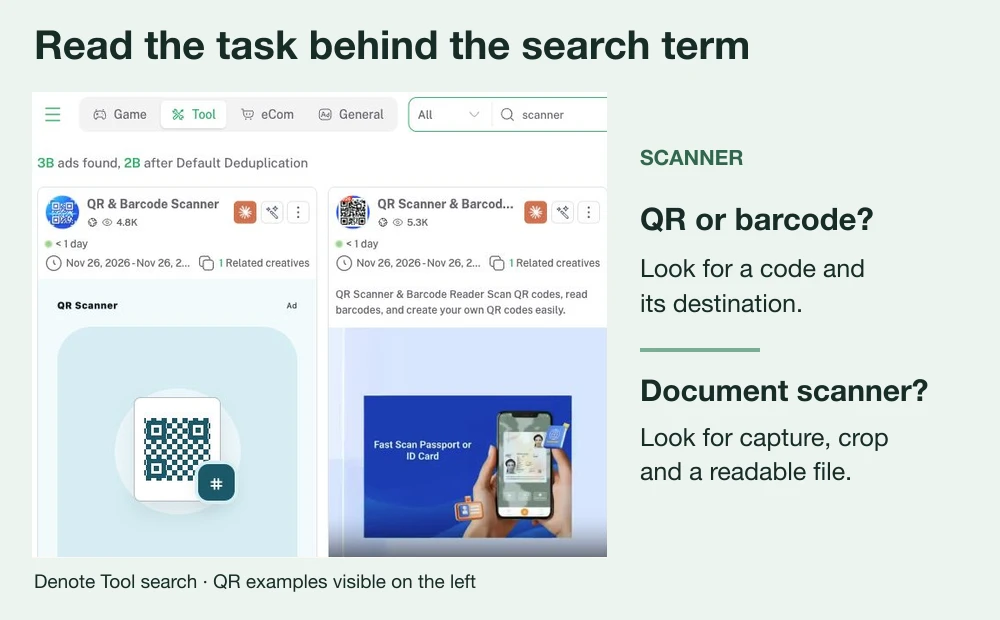
Denote Tool search results. Check the user task and the placement before adding a card to a TikTok brief.
| If the viewer has… | The demonstration needs… | The payoff frame shows… |
|---|---|---|
| A paper receipt to submit | A camera capture, a crop and a readable export | A complete document with its edges and text intact |
| A printed code to open | A recognizable code and a scan action | The intended destination visible on the phone |
| Several files to read on the go | A believable document and an action inside the viewer | The page or passage the viewer needed |
A misleading reference can still teach you something. If you are making a receipt scanner ad and most of your saved clips show QR codes, look at the verbs you searched. Try scan receipt, crop document or a relevant app name. Treat these as next queries to try. Save a result only if you can describe the same user task in a sentence. Check its platform label before putting it into a TikTok-only comparison.
Storyboard one install promise from beginning to end
Consider a fictional expense-reporting app. Its best first-use moment is a readable receipt ready to share. The following is an original storyboard to film with your own app and a prop receipt.
| Shot | What the viewer sees | What the editor needs to preserve |
|---|---|---|
| The problem | A curled receipt next to an unfinished expense report | A legible reason to capture the paper now |
| The action | A hand opens the real capture flow and aligns the receipt | The actual controls and any step the user must complete |
| The result | The cropped page opens with the amount still readable | Enough time to recognize that this is the same receipt |
| The invitation | The app name and a prompt to scan a first receipt | A store listing that describes this same task |
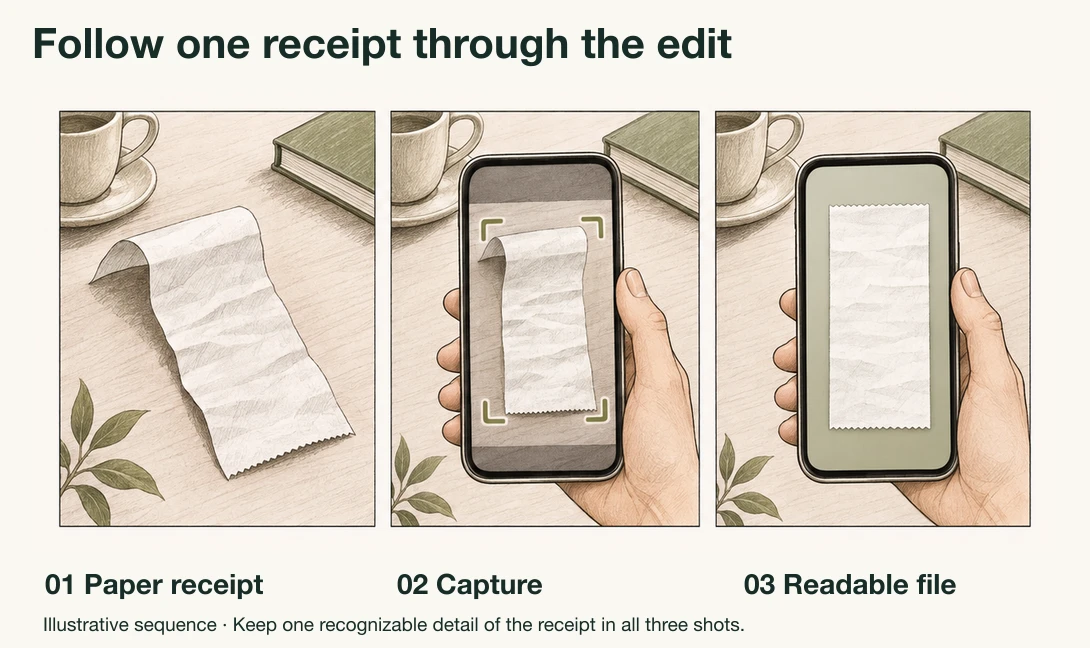
Illustrative storyboard: keep the same receipt visible from capture to the finished document.
Watch the cut once with the sound muted. If the viewer could mistake the final page for a photograph you dropped into the edit, leave the transition from capture to preview in the film. If sharing requires a paid feature, make that condition clear before promising an export. A screen recording made on a subscribed device can easily show a different first experience from the one a new installer will get.
Then inspect the first store screenshot and the first screen after launch. If the ad promises a quick scan but the listing leads with file storage, give the store-page owner the same brief. If onboarding requires a camera permission, show the editor where that request actually occurs. This check often changes which frame is honest to use as the payoff.
Decide what would count as a better install ad
For the receipt app, make two openings around the same demonstration. One starts with the paper receipt. The other starts with the completed scan and then shows how it was made. Keep the app version, store destination and offer the same. Ask one question before launch: which opening attracts people who go on to finish a first scan?
Consider an illustrative result with equal spend of $600 per version. Version A produces 300 attributed installs and 60 first scans. Version B produces 200 installs and 80 first scans. A has the lower cost per install, $2 versus $3. B has the lower cost per first scan, $7.50 versus $10. A team buying first scans would read that comparison differently from a team buying installs. These are invented figures to show the calculation. Apply the same attribution window, event definition and observation period to both versions in your own reporting.
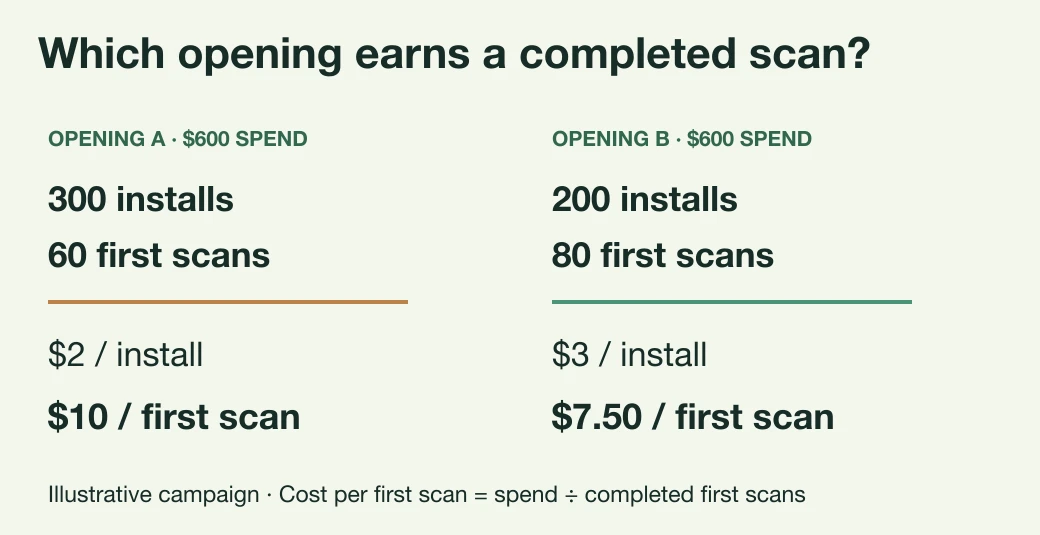
With equal spend, A buys cheaper installs while B buys cheaper first scans. Figures are illustrative.
Use Denote to keep a short collection for each first-use task. Include the platform source, the store destination and one line about the result the user expects. The next time a brief asks for “more TikTok app install ads,” the editor can open the receipt collection and know exactly what to film.


