
Facebook Ad Library, officially Meta Ad Library, is a public tool for finding ads and examining their visible creative and advertiser information. Start with a country and ad category, then search for an advertiser or a relevant phrase. Open the source record before drawing conclusions from a thumbnail.
The useful output is a dated reference you can explain: who advertised, what the ad said or showed, which settings you used and what question it raises for your own creative. Public visibility does not establish a competitor's profitability, audience strategy or sales.
Updated November 13, 2026: replaced the original chapter outline with an actionable search workflow, field-reading guide and source limitations.
TL;DR
- Choose the research market and category before searching.
- Use keywords to discover advertisers, then verify the actual Page.
- Read the creative, source ID and visible dates together.
- Keep observation, interpretation and unknown outcomes separate.
- Use the reference to propose original work and evaluate that work with your own data.
What is in Facebook Ad Library?
Meta Ad Library describes its current-ad coverage alongside additional archives for specified regions and ad categories. The right mental starting point is a public transparency and research source, with coverage rules that depend on the view you choose.
For commercial research, an active result can show an advertiser's creative and public-facing message. Historical availability is a separate question. Do not assume that selecting an inactive status gives you every ordinary ad a company has ever run.
Nor should you confuse specialized transparency disclosures with a complete performance dashboard. If a view exposes extra fields, read their definitions and scope. An advertiser's billed costs, purchases and return on ad spend require different evidence.
Choose the right research task
| Your question | Best starting point | Useful output |
|---|---|---|
| What is a known competitor showing? | Its actual advertiser Page | A dated set of source records |
| Which promises appear in my category? | Product and problem/use-case searches | A message comparison with source examples |
| What changes between versions? | The ad's detail view | A version log tied to the Library ID |
| Why are expected ads missing? | Identity, scope and loading checks | A diagnostic note rather than a spend conclusion |
| Which idea should our team test? | An inspected reference plus your product evidence | An original brief with a measurable hypothesis |
Keep the task small. “Research competitors” is difficult to finish; “compare how three relevant advertisers introduce one product benefit” has a clear endpoint.
How to use Facebook Ad Library
1. Set the market and category
Choose the country relevant to your research. Select the category that matches your question; ordinary commercial research usually begins in All ads. Keep optional filters broad until you have a useful initial result.
Write the settings into your notes. The country selected by your browser is not necessarily the market you meant to study.
2. Search for an advertiser or a phrase
Use a known brand to find its advertiser identity, or start with a product/problem phrase to discover candidates. Verify the actual Page rather than treating every keyword match as an ad from the same company.
For a worked approach to search vocabulary, see Facebook ads keyword research. Search inputs help retrieve examples; they do not reveal the targeting settings used by the advertiser.
3. Narrow deliberately
If format or platform is part of your question, apply that restriction after the initial search. A video-only review can answer questions about demonstrations, while an all-media review may be better for comparing offers.
Change one condition at a time. Keep the advertiser and market consistent when comparing two review dates. If you change both the sample and the filters, a different result count is difficult to interpret.
4. Open the ad and inspect the content
Read the text, view the image or watch the video, and inspect the destination when accessible. Note whether the ad introduces a problem, shows a demonstration, presents an offer or relies on a recognizable product.
Distinguish the ad's visible claim from verified product evidence. A competitor saying a product is faster or more comfortable does not establish the claim's truth or give your brand permission to repeat it.
5. Keep a source reference
Record the Library ID, Page, observation date and relevant settings alongside your note. A source link is useful even when its future availability is uncertain. If a record later becomes unavailable, retain the date and what you actually observed.
Use the competitor-ad discovery guide when Page identity is the main challenge. Use the missing-ads guide when the search does not return what you expected.
How to read an ad card
| Visible element | What to record | What to avoid inferring |
|---|---|---|
| Advertiser identity | Page name and source identity | Ownership based only on a familiar image |
| Library ID | The exact record you inspected | Campaign or ad-set structure |
| Active status | Status shown on the observation date | Continuous delivery at a known budget |
| Start date | The displayed date and source | A complete uninterrupted spend history |
| Platform information | The listed platforms in that record | Exact placement mix or delivery allocation |
| Multiple-version label | Available versions and what you inspected | Which variation won |
| Creative and copy | Visible message, evidence and execution | Sales impact from visual quality alone |
| Destination | Product and offer alignment at the time of review | The advertiser's complete funnel or attribution |
The multiple-versions guide explains why records, versions and concepts should be counted separately. Ten cards do not necessarily represent ten distinct ideas.
A real example of reading carefully
During a manual review on November 13, 2026, an Allbirds result, Library ID 4575393946018892, showed an active shoe promotion with a multiple-version label. Its details displayed a 1/2 counter; the inspected state included an 18-second video preview and copy combining a named product with a price offer.
That supports a limited observation: this record presented a product-and-offer message and indicated more than one version. It does not establish the second version's contents, delivery split or financial result. Those fields should remain unresolved in the research note.
Your team's next question might be whether its own product benefits would be clearer before or after an offer. That is a hypothesis to investigate, rather than a result obtained from someone else's ad.
Build a research log that another person can use
Keep these fields together:
- Source: platform/library, advertiser identity and record ID.
- Scope: market, category, filters and observation date.
- Observation: what the inspected copy, image or video actually contains.
- Interpretation: the possible message or persuasion mechanism.
- Unknowns: anything the public record does not establish.
- Next action: a question, original concept or specific follow-up inspection.
Do not hide the unknowns in a general disclaimer at the end. If you inspected only a poster, say so beside the creative note. If you could not open the landing page, leave its alignment unresolved.
The ad creative analysis worksheet offers a more detailed way to develop this log into a brief.
Where Denote fits into the workflow
Denote provides additional research entry points: Ad Library for references, Ad Spy for Facebook competitor research, and Top Ads for a weekly shortlist when its available categories fit your task. Login and plan requirements depend on the action and destination.
Keep the source names separate. A reference found in Denote Top Ads is not automatically a verified Facebook Ad Library record.
For example, the public Top Ads view inspected on November 13 used Game, Weekly Trending, November 2–8, 2026, with the original all-platform settings. It included the ELDEN RING artwork below. The image visibly identifies the game and supported console versions. It does not demonstrate gameplay, an audience response or a Facebook placement.
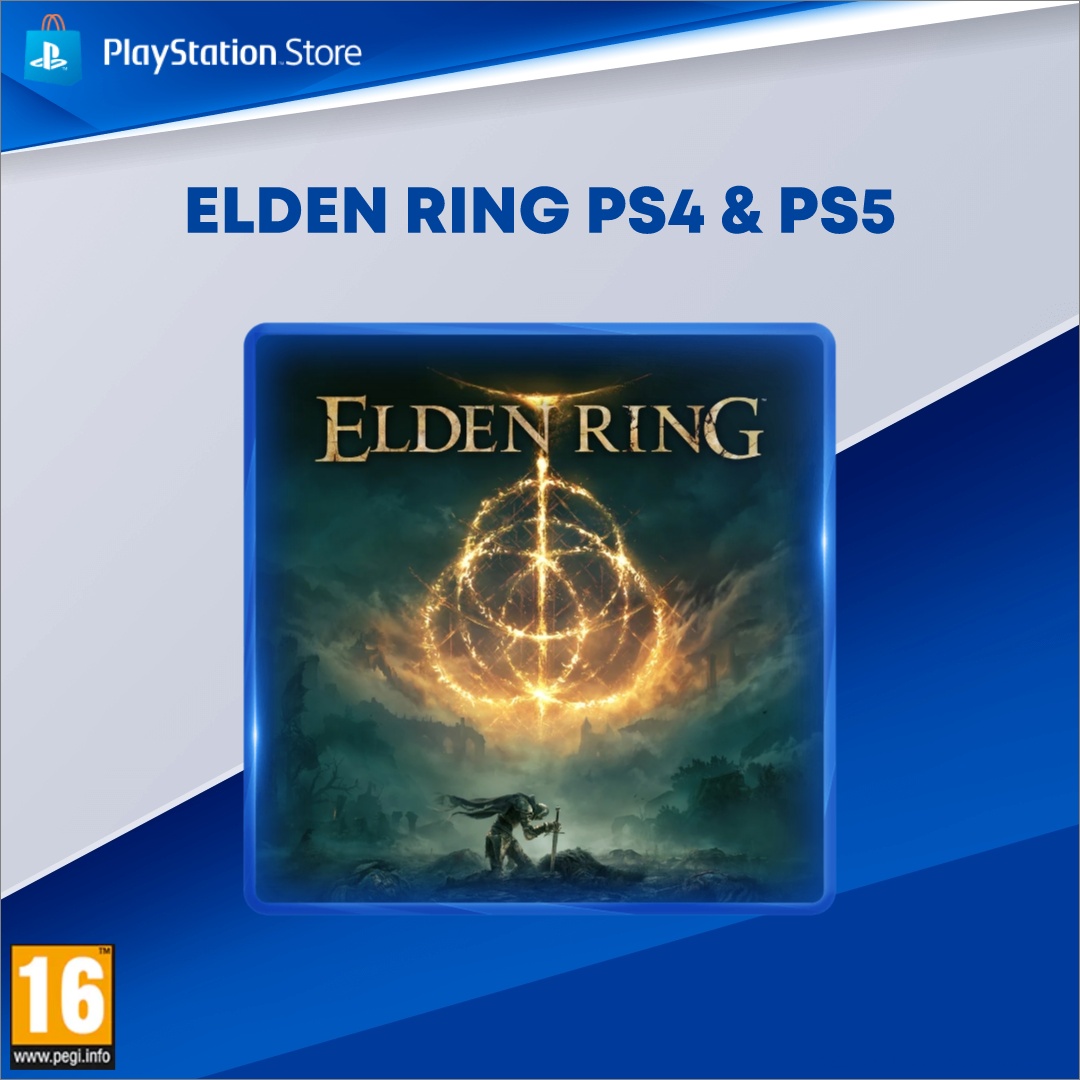
Original advertiser artwork from the inspected all-platform Game view. Used as a qualitative reading example, not as a Facebook-specific ad, ranked performance finding or video analysis. Artwork remains its owners' property.
A safe note is “recognizable title and platform identification lead the image.” A useful next question is whether your original creative needs a product demonstration to communicate its promise. Clicking into deeper exploration during the review required login; the public view did not establish access to every research or saving action.
Turn research into original work
Choose a mechanism you can support with your own product and assets. You might test a demonstration before the brand introduction, a clearer product identifier or an offer with more explicit conditions. Explain why the change could matter and what you will measure.
Do not copy another advertiser's footage, creator likeness, licensed music, testimonials or unsubstantiated claims. Use the public reference to make a better production decision, then assess the result through your own campaign and business data.
For planning the experiment, continue to the creative testing guide.
FAQ
Is Facebook Ad Library the same as Meta Ad Library?
“Facebook Ad Library” is a common search phrase for the tool officially presented as Meta Ad Library. Check each record's platform information when your research specifically concerns Facebook.
Can it show every inactive commercial ad?
Do not assume complete historical coverage. Check the applicable region and category rules in the current Library view.
Does a long-running ad prove it is profitable?
No. A displayed date is worth recording, but public visibility does not supply the costs and attributed business outcomes needed to calculate profit or ROAS.
What should I save from my first research session?
Keep a small set of inspected sources with IDs, settings, dates, visible messages and one original question to test. Start in Meta Ad Library, then use Denote Ad Library when you need another entry point for organizing creative research.


