

Saving and downloading ads from platforms like Facebook and TikTok doesn’t have to be messy or time-consuming. Instead of relying on screenshots or scattered links, Denote lets you collect ads in one place, organize them into boards, and download creatives in just a few clicks—so your research turns into assets you can actually reuse.
The platforms and ad types we support include:
- Facebook Ad
- TikTok Ad
- Instagram Ad
- LinkedIn Ad
- YouTube Ad / Shorts
How to Install the Denote Extension
If you want to download ads from different platforms, you first need to install the Denote Extension. Here’s how to do it:
On the Denote homepage click Install Extension, then select Add to Chrome. Alternatively, you can install the Denote Extension directly from the Chrome Web Store.

Save & Download Facebook Ads and Videos
After installation, open the Facebook Ads Library and click Log In to sign in with your Denote account.
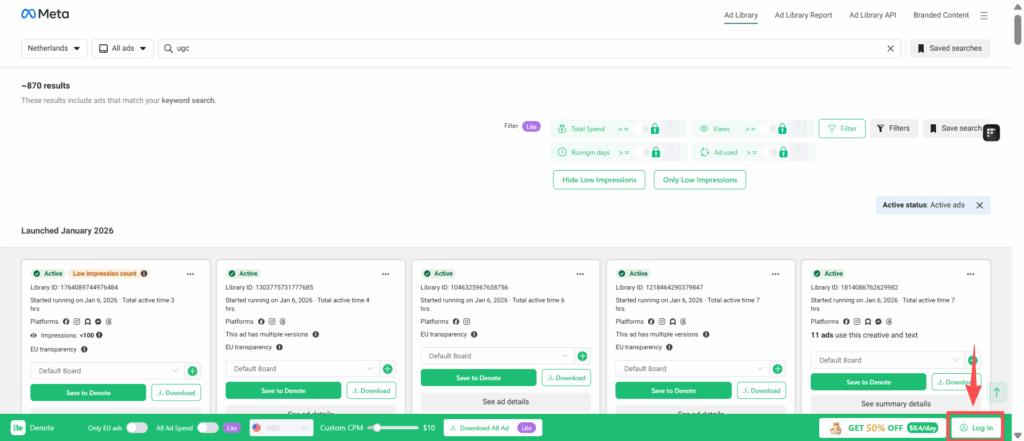
Way 1: Save Ads to All My Ads for Easy Download and Reuse
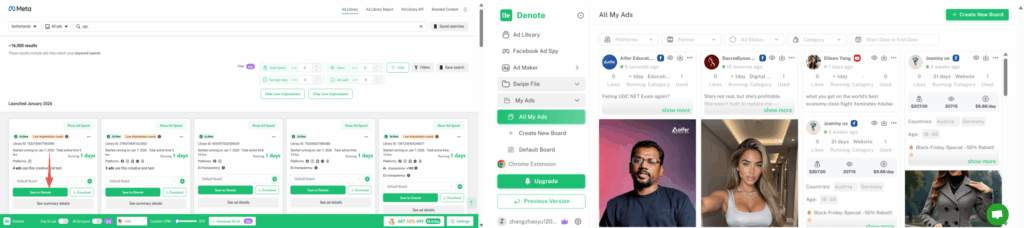
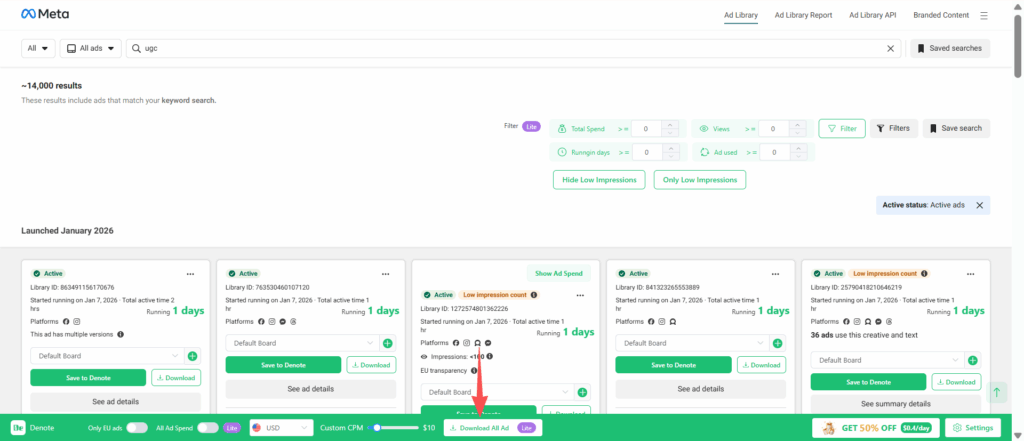
If you want to save an ad, click Save to Denote, then click View Saved to find it later in Denote All My Ads.
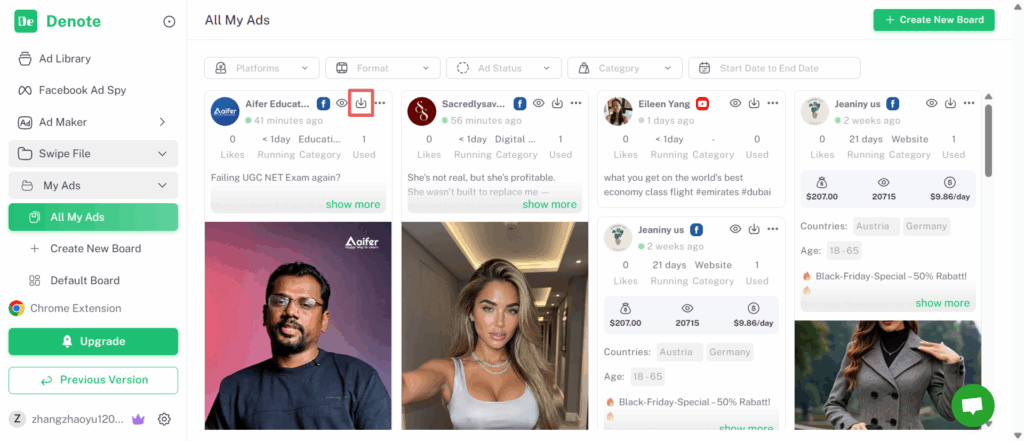
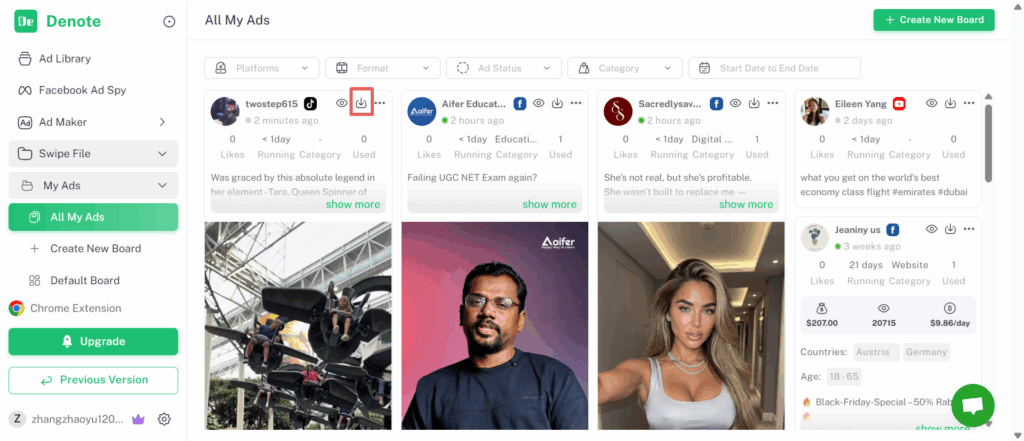
Then, click the download icon to download the ad.
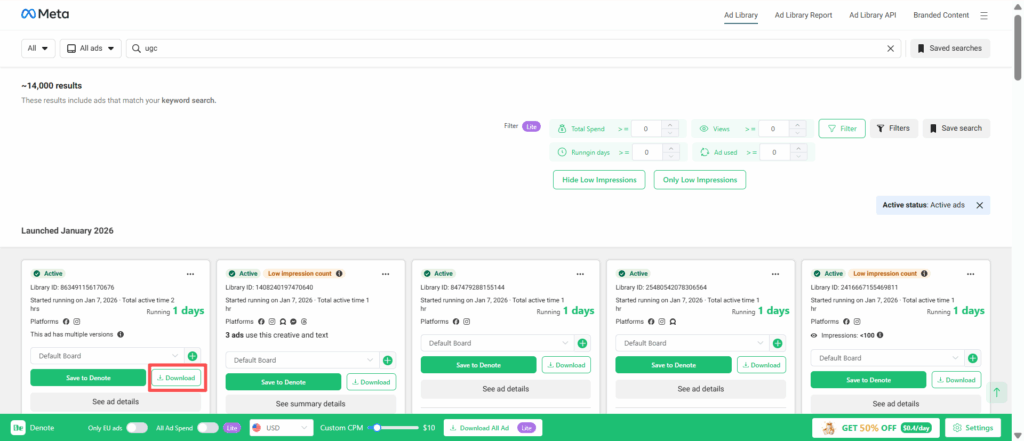
Way 2: Download Ads One by One
If you only need to download one or a few ads, click Download to save an individual image or video ad.
Way 3: Download All Ad
You can filter the ads you need first, then click Download All Ads to download all filtered creatives or all ads on the current page with one click.
Save & Download TikTok Ads and Videos
Step 1: Save Ads to My Ads Space
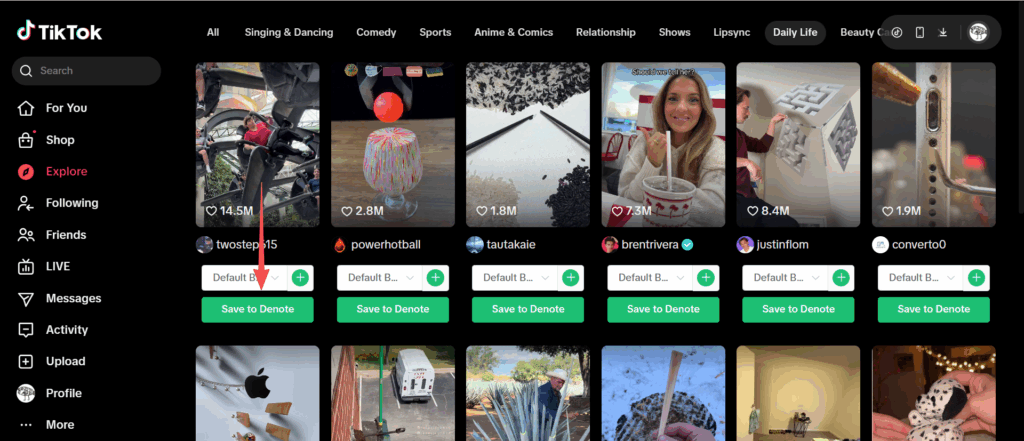
After installing the Denote Extension, open TikTok and click Save to Denote. Select a board or folder to keep your ads organized.
Step 2: Download Ads
Click the download icon to download the selected ad.
Use Ad Downloader to Save Ads Across Multiple Platforms
Denote supports ad downloads across multiple platforms. You can also click Free AI Tools in the homepage navigation to access ad downloaders for different platforms.
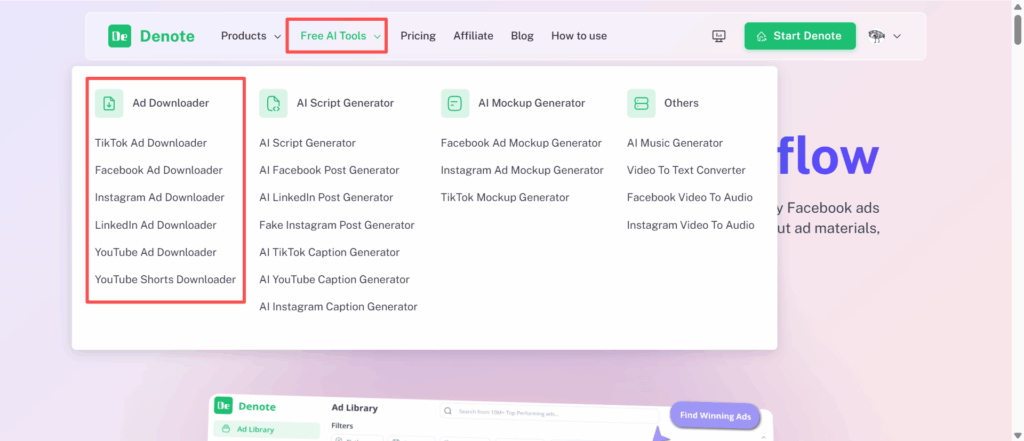
Or click the links below to download ads directly: