.jpg)
To estimate competitor ad spend in Meta Ad Library, use a clearly labeled estimate as a screening signal, then inspect the actual ad before drawing a conclusion. The Denote extension adds estimated spend, views, running-days, filter, and sort controls to the library page. It does not disclose a competitor's ad account, invoice, revenue, or ROAS.
This guide was substantially updated on October 8, 2026 after checking the live extension inside Meta Ad Library. Labels and coverage can change. The important habit is to keep the observed ad and the model's estimate separate in your research notes.
TL;DR
- Choose a country, All ads, and the advertiser's Page in Meta Ad Library. Fix the same scope when comparing ads.
- Use Show All Ad Spend or an individual ad's extension overlay to inspect available estimates.
- Filter by Total Spend, Views, or Running days; sort by Total spend or Daily spend to prioritize a review queue.
- Record the country, observation date, estimated metric, and Custom CPM setting. A missing estimate is not zero spend.
- Open the shortlisted creatives and make an original test. Spend estimates alone cannot identify a winning ad.
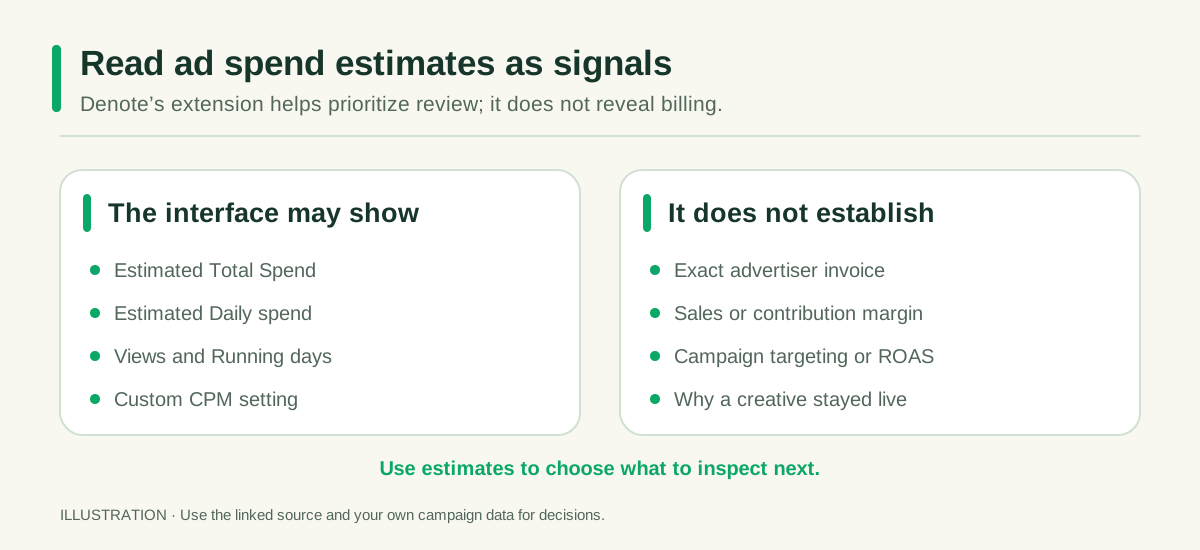
Illustration: a spend estimate helps order a research queue; it does not reveal the advertiser's results.
What an ad spend estimate can tell you
Meta's Ad Library is a public way to search ads by advertiser or keyword. Its Ad Library Report publishes spending information for ads about social issues, elections, or politics; that is a specific transparency product, not a complete ledger of every ordinary competitor campaign. Denote's extension adds its own estimated spend view to the ordinary research workflow. Do not label that model output “Meta verified spend.”
An estimate is useful for sorting a large set of visible ads into a smaller group worth opening. It may help you ask why one creative appears to have more distribution than another. It cannot tell you whether the spend was efficient, whether the same audience saw the ad, or whether the advertiser made sales. The extension's Custom CPM control is another reason to record the assumptions visible when you make a comparison. A comparison made under one CPM setting should not be mixed with another without noting the change.
Coverage also matters. On the page checked for this article, the extension offered Only EU ads. Some ads may lack the inputs or supported regional coverage needed for an estimate. Treat a blank, unavailable, or unsupported value as missing data—not evidence of no delivery or a $0 budget.
How to estimate competitor ad spend with Denote
- Start in the source library. Open Meta Ad Library, select the target country and All ads, and search a verified advertiser Page. Set Active ads if you want to inspect what is currently listed. A broad keyword search can be useful for discovery, but it mixes advertisers; use a Page search for a clean competitor review.
- Turn on the estimate view. With the Denote extension installed, use Show All Ad Spend or inspect the spend and views shown on an individual ad. Sign in if the feature asks you to. Note the Custom CPM setting and whether Only EU ads is on.
- Filter for the question. The extension filter menu checked on October 8 showed Total Spend, Views, Running days, and Ad used. For example, a running-days threshold can narrow the queue to ads that have been observed longer; a Total Spend threshold can narrow it to ads with larger estimates. Apply one or two conditions at a time so you know which choice changed the list.
- Sort and open the candidates. The sort menu offered Date, Total spend, Running days, Views, and Daily spend. Sorting by Daily spend is useful for a recent-activity review; Total spend may favor older ads simply because they have had more time to accumulate an estimate. Open the ad card and inspect its Library ID, start date, creative, copy, and destination.
- Write down the limitation. Record the estimate as “Denote estimated Total Spend” or “Denote estimated Daily spend,” along with the country, date, CPM setting, and selected filters. Do not turn it into a statement that the advertiser spent that exact amount.
This is a prioritization routine, not a formula for another company's ROAS. If your team needs an exact spend or return figure, it would need access to the advertiser's own billing, campaign, and revenue data.
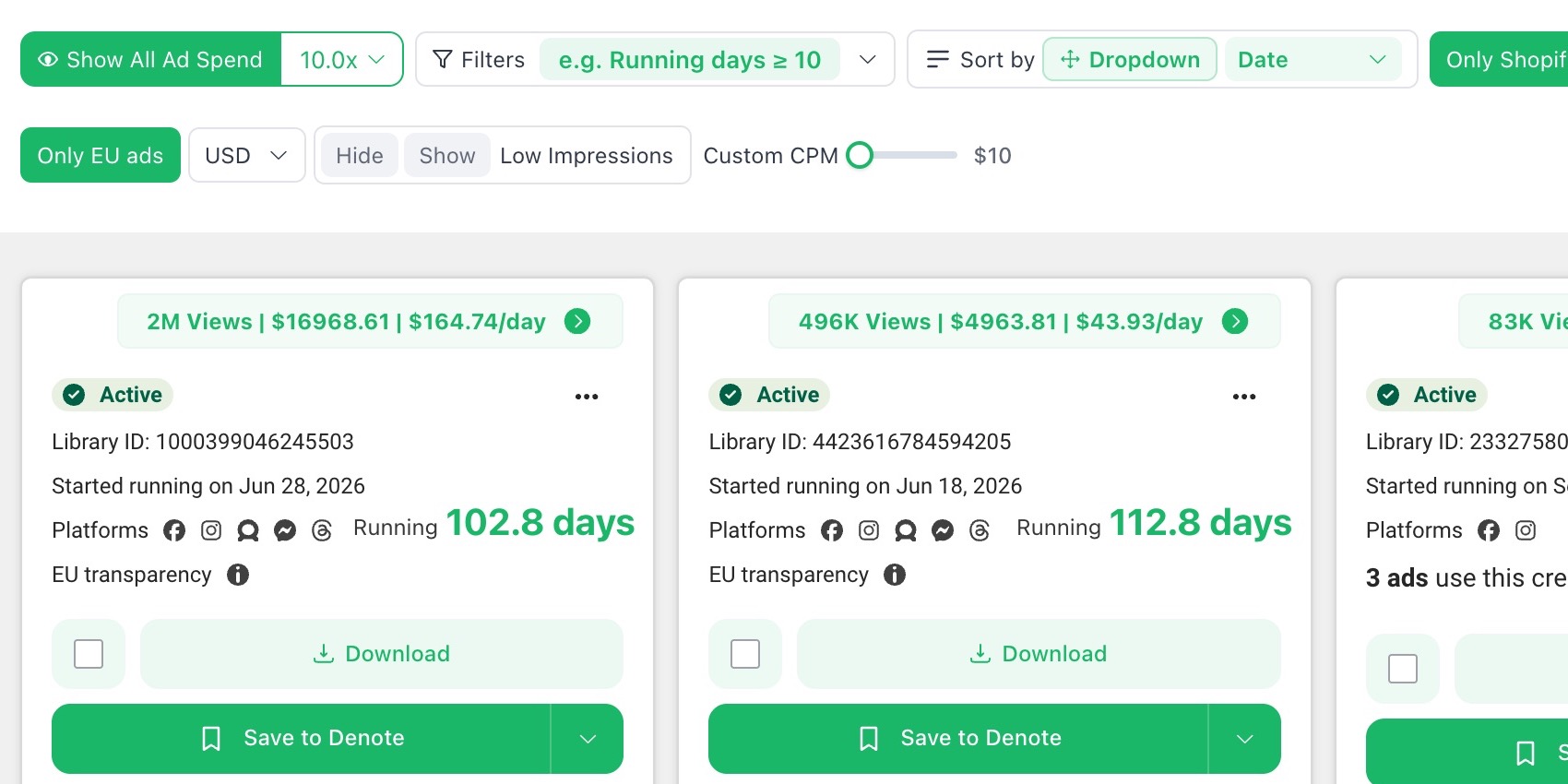
Product screenshot: Denote estimates on a Netherlands ugc keyword search, captured October 9, 2026, with Only EU ads selected and Custom CPM set to $10. The displayed views, total spend, and daily spend are modeled values, not Meta billing records. The cards come from a keyword search, so they are not a same-Page competitor comparison.
Choose a comparison question before setting a spend threshold
A threshold is useful only when it narrows a defined question. To find longer-observed creatives, start with Running days and then inspect the actual card start date. To review ads with a larger modeled cumulative signal, filter Total Spend within the same Page and market. To investigate recent modeled activity, sort by Daily spend and open the ad before making any interpretation. These controls help decide where an analyst spends attention; they are not performance rankings.
For an agency report, save the exact label shown in the interface, not a shortened “spend” column. The client should be able to tell Denote estimated Total Spend from a verified figure in their own Ads Manager. Our Denote extension guide covers the broader in-library workflow, and the competitor Page guide explains how to keep the source scope stable.
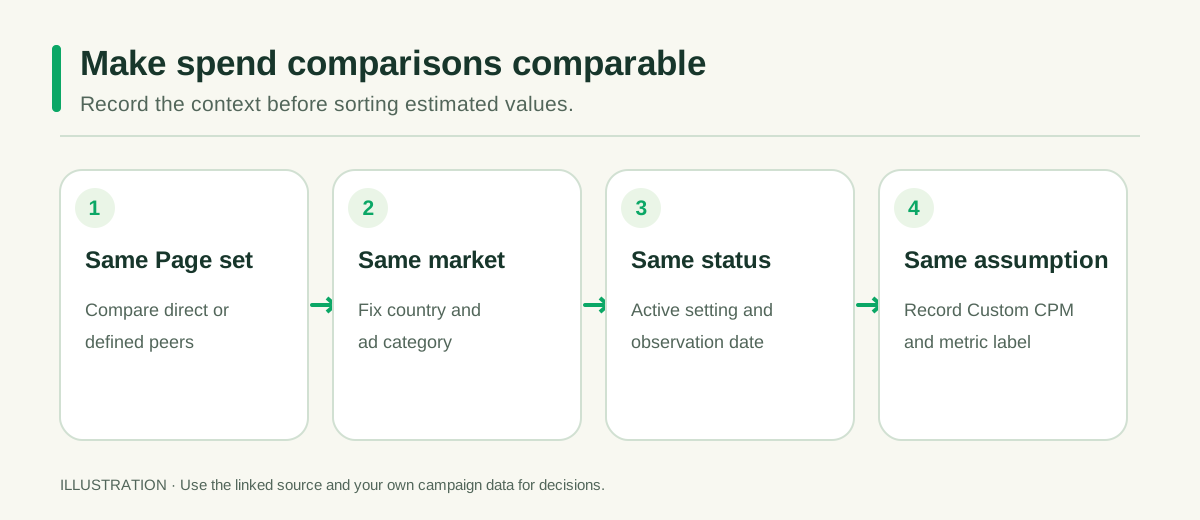
Illustration: Page set, market, status and date, and Custom CPM are comparison context—not outcome metrics.
Read Total Spend and Daily spend differently
Estimated Total Spend is a cumulative-looking signal in the extension interface. An older ad can rank highly by this measure without being unusually active today. Estimated Daily spend helps you look for a higher recent rate, but it remains an estimate and may be sensitive to the model's inputs and coverage. Views and Running days add context; neither tells you the ad's conversion rate.
A useful comparison keeps the country, ad status, source date, and Custom CPM setting fixed. Compare ads from the same advertiser or a tightly defined peer set, then inspect the creative differences. Avoid a spreadsheet that ranks a Dutch ad observed this week against a US ad recorded months ago as though the two estimates were measured on the same basis.
The strongest signal may be a combination worth investigating: a long-observed creative, a meaningful estimated spend, a clear offer, and several related variants. Even that combination is a research lead. It does not establish the advertiser's profit or prove the creative is safe to copy.
A useful estimated-spend research note
For each shortlisted ad, keep one concise note: Page and Library ID; country and status; observation date; estimated metric and value as displayed; Custom CPM setting; visible creative mechanism; question for your team. If the estimate is blank, write “unavailable” and continue with the creative review. A missing value should never be converted to zero or silently removed from the comparison set.
The interpretation column can say, “This long-observed demonstration is worth opening to study its objection-handling.” It should not say, “The competitor is profitably scaling this creative.” If your team later tests the underlying idea, attach your own results in a separate column. That separation keeps third-party intelligence useful without overstating its precision. For a wider creative-discovery process, see how to find winning ad candidates.
Turn the estimate into a creative decision
After sorting, select two or three ads and describe their mechanism. What does the first scene show? Which objection or desire does the copy address? Is the offer visible before the call to action? Does the landing page continue the same promise? Put the answer beside the estimate so the number does not become the entire story.
Then write a test brief using your own brand and assets: “If we demonstrate the product's result before explaining its features, will qualified click-through improve against our current control?” Choose your measurement before launch. Your campaign data—not the competitor estimate—will tell you whether that idea works for your audience.
For the full Page-search and weekly change-log process, read how to find competitors' Facebook ads.
FAQ: competitor Facebook ad spend estimates
Can Meta Ad Library show a competitor's exact ad spend?
For ordinary competitor ads, the public library is a creative and transparency source, not access to the advertiser's billing account. Meta's Ad Library Report has spending disclosures for ads about social issues, elections, or politics. Denote's extension provides its own estimated spend signal for research; label it accordingly.
What is the difference between Total Spend and Daily spend in Denote?
Total Spend is a cumulative-looking estimate that can favor older visible ads. Daily spend is an estimated rate useful for a different review question. Both depend on the tool's inputs and coverage. Keep the metric name and settings beside every value rather than placing the two figures in one undifferentiated “budget” column.
Why is an ad's estimated spend unavailable?
The tool may lack the inputs or coverage needed for that ad or region, or the feature may require access in your account. The blank is missing data, not a $0 campaign. Review the creative and source card separately, and avoid forcing the unavailable estimate into a ranked list.
Does high estimated spend mean the creative is profitable?
No. Spend is a modeled distribution signal, while profit depends on conversions, costs, margins, and revenue the public card does not provide. Use a high estimate to decide which ad to inspect, then create an original test measured in your own account.
Which filter should I use to find ads worth inspecting?
Start with the research question. Running days helps surface longer-observed ads, Views helps organize visible reach signals, and Total Spend screens modeled cumulative spend. You can then sort by Daily spend if recent modeled activity matters. Keep Page, country, status, date, and Custom CPM comparable. The Denote Ad Spend page is a product entry point for this workflow.
Open the Denote extension in Meta Ad Library and use estimated spend to decide what to inspect next. Record the estimate's scope and assumptions, then let your own test results decide what to scale.


