.jpg)
Mobile ad intelligence is most useful to a game user acquisition (UA) team when it answers a narrow weekly question: Which creative ideas are gaining attention in our category, and which deserve a closer look before our next test? Start with a consistent game-ad chart, inspect the ads behind the movement, and write down a testable hypothesis. A ranking is a research lead, not evidence that an ad produced installs or profit.
This guide uses Denote Top Ads as a practical starting point. Its Game category has Weekly Trending, Weekly Rising, and New Creatives views. The method below is a repeatable research workflow, not a report on a particular week's winners. Availability of older weeks and detailed filters can depend on your access.
TL;DR
- Use mobile ad intelligence as a weekly research routine: check Weekly Rising for increasing popularity, Weekly Trending for the current high-popularity set, and New Creatives for recently observed ideas.
- Keep the category, week, region, channel, and format consistent when comparing ads. Record any filter you change.
- Treat weekly popularity as a ranking signal and any impression figure as a provider display estimate. Neither tells you an ad's CPI, ROAS, or conversion rate.
- Turn one observed pattern into one creative hypothesis, then evaluate it with your own campaign data.
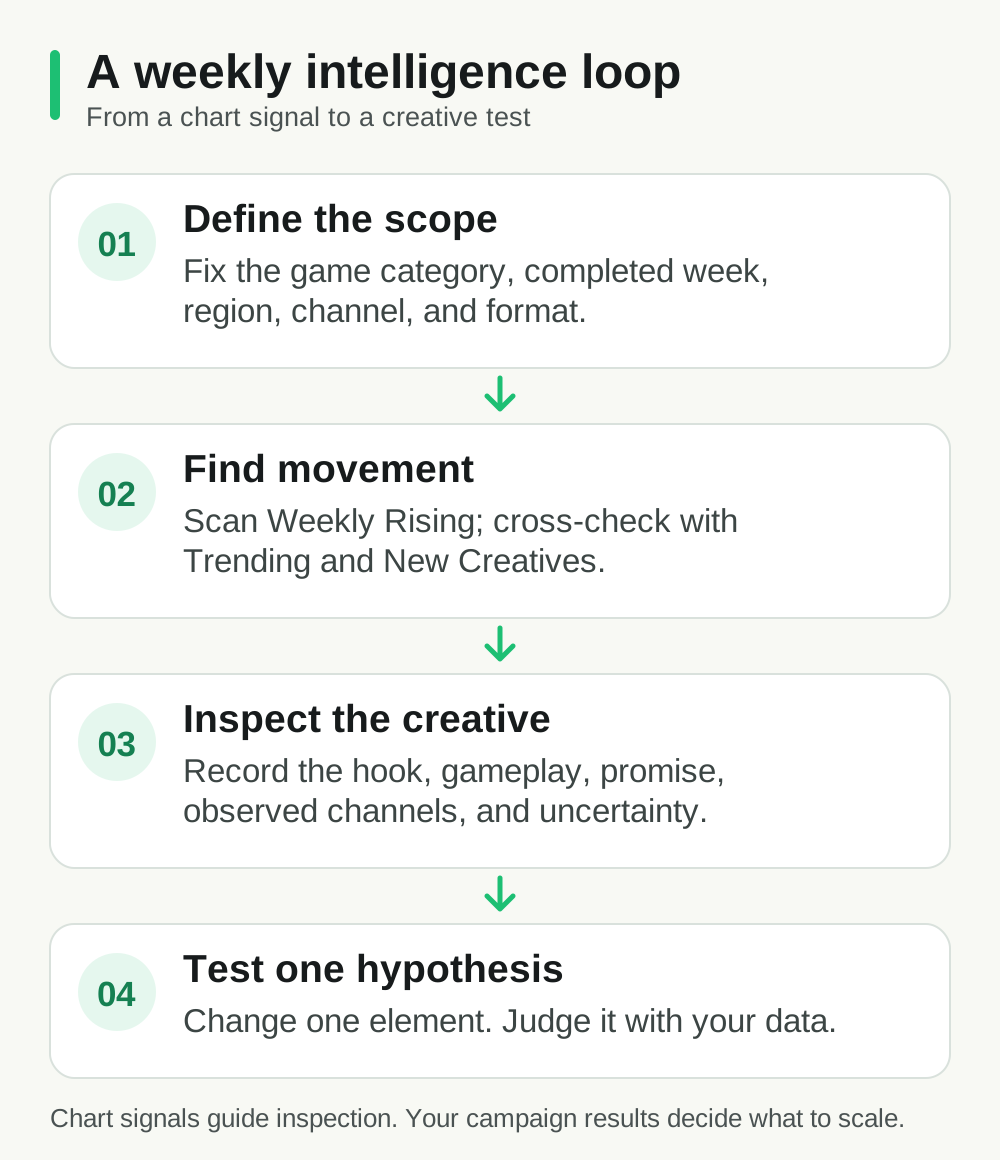
Illustration: a research workflow, not a live ranking or performance report.
What mobile ad intelligence can tell a game UA team
Competitive advertising intelligence shows what advertisers put into the market: the creative, its message, the observed channels, and how it appears in a defined chart. For a game team, that can reveal a new gameplay hook, a different first scene, a shift from character story to mechanics, or a localized variation worth investigating.
It cannot show the competitor's private acquisition economics. A visible ad may be part of a test, a broad launch, or a campaign whose results you cannot see. Even a long observed run is only a reason to investigate further. The useful output is therefore a shortlist of hypotheses, with the evidence and uncertainty attached.
Denote's weekly popularity score and display estimate are separate measures. Do not add display estimates from consecutive charts and call the sum a monthly impression total. For a cross-week comparison, keep the same chart and filters, identify the same creative, and describe the exact measure being compared.
A weekly mobile ad intelligence workflow for spotting rising game creatives
1. Set one research question before opening the chart
Choose the game genre, target market, creative format, and decision you need to make. For example: Which gameplay-opening videos in our target market merit a new hook test? This is more useful than asking for the “best game ads,” because the latter has no defined audience, metric, or action.
Write the scope at the top of your notes: review date and timezone; completed chart week; Game category; chart type and sort; region, channel, and format filters; and the number of visible rows you reviewed. If a filter is unavailable to your account, record that limitation instead of silently treating the visible list as the whole market.
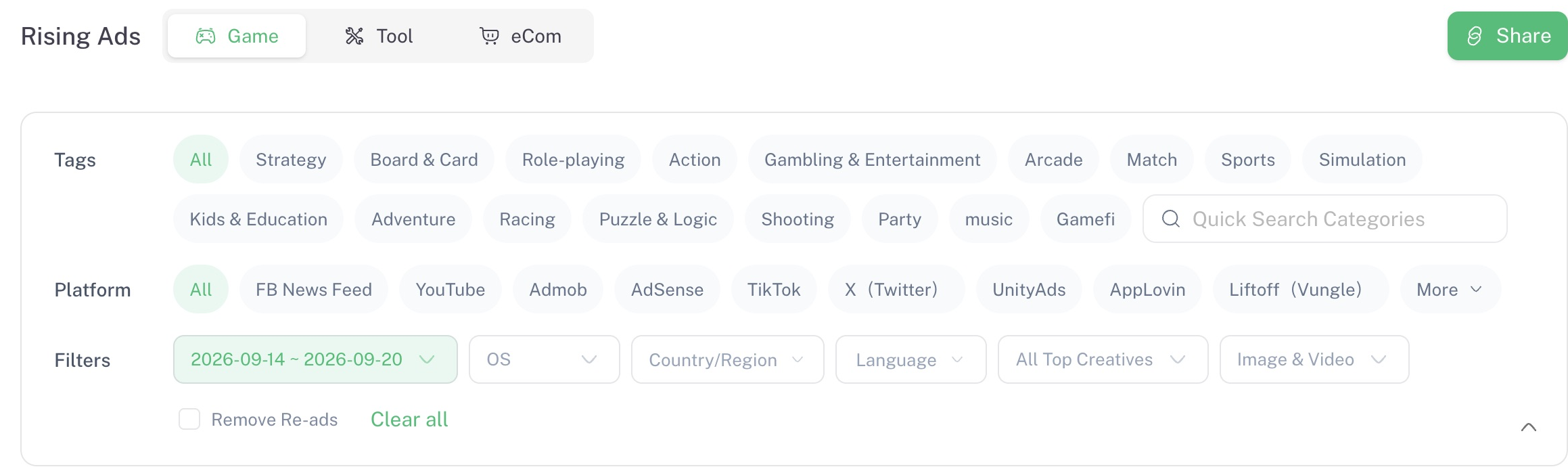
Product screenshot: Denote Workspace, Rising Ads → Game, week of September 14–20, 2026, captured September 24, 2026. The visible filters define the scope of this example.
2. Scan Weekly Rising for movement
Open Top Ads, select Game, then Weekly Rising (labeled Rising Ads in the workspace). This view is the first pass for ideas whose weekly popularity has moved up. Look beyond the first thumbnail: note the advertiser or game, format, visible channels, first scene, core promise, and the action requested of the viewer.
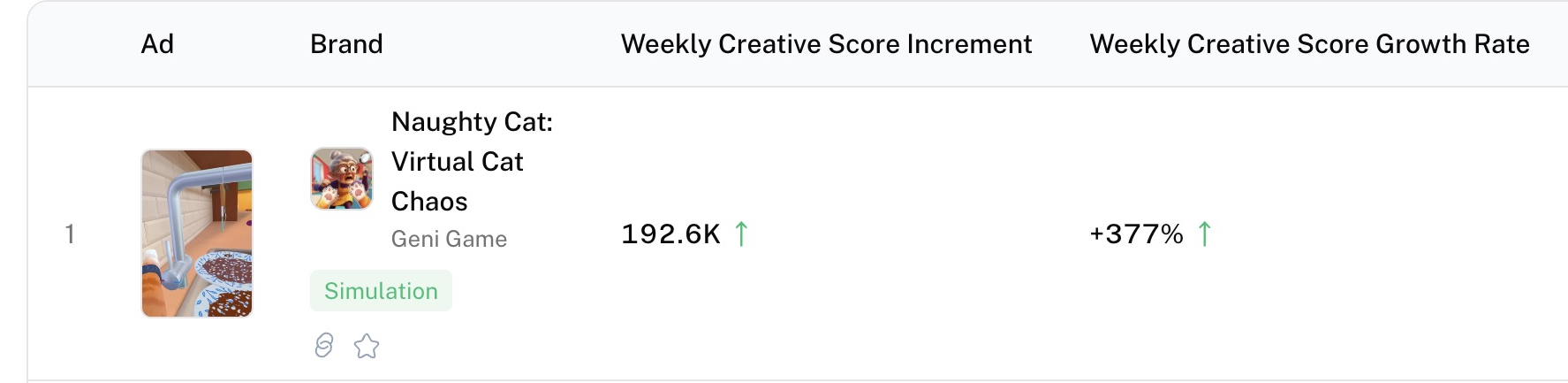
Product screenshot: first visible row in the same Game Rising Ads chart, captured September 24, 2026. The score increment and growth rate are popularity signals; they do not report installs, conversion rate, or ROAS.
For a disciplined shortlist, review every visible result in your chosen scope and flag a creative only when you can state both an observable pattern and a reason it matters to your game. “A puzzle reveal in the first seconds makes the mechanic understandable before the end card” is a testable observation. “This ad is winning” is not.
If your access allows historical weeks or additional filters, compare the same creative across completed weeks with the same chart settings. A changed region or channel mix can explain a changed position; it is not a clean like-for-like comparison. The published view may expose only a limited list, so describe your review as a shortlist of visible entries, not a census of all game ads.
3. Cross-check with Trending and New Creatives
Use Weekly Trending to see whether the pattern also appears among high-popularity creatives. Use New Creatives to check whether a similar execution is entering the chart. These are different questions and different ranking bases. Do not place their ranks in one table as if “#3 Rising” and “#3 Trending” measured the same thing.
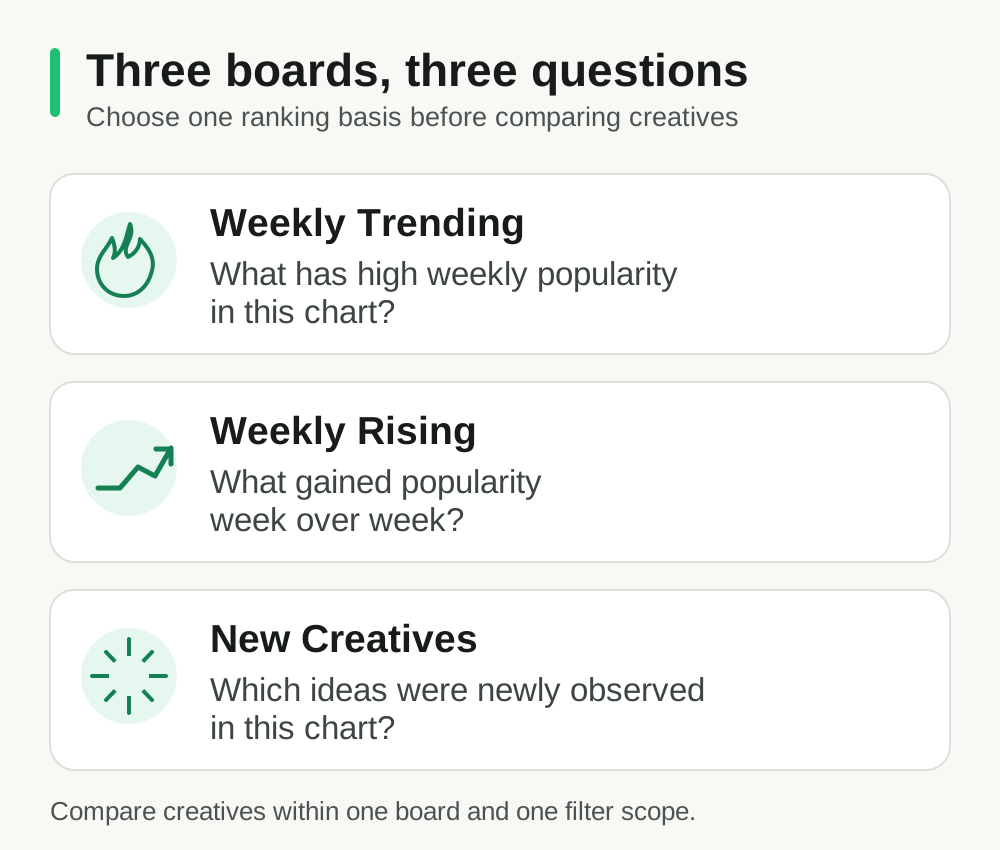
Illustration: the three chart questions. It does not show live creative rankings.
This cross-check helps you separate three editorial possibilities: an established motif, a newly observed variation, or a creative showing week-over-week movement. It still does not reveal which ad converts best. If the underlying ad or metric is unavailable, mark the observation as unverified and move on.
4. Inspect the creative, then write a test brief
Watch the opening without sound, then with sound. Record what the player sees, what game action is demonstrated, when the payoff arrives, and whether the store promise matches the ad. Compare the mechanism of the idea, not just its surface style: is the hook a challenge, a mistake, a transformation, a character problem, or a rapid reward?
Finish each review with a brief your own team can test:
Observation: A rising creative makes one game mechanic clear before introducing characters.
Hypothesis: Showing our core mechanic earlier may help viewers understand the game faster.
Test: Make two openings with the same gameplay footage, offer, audience, and destination; change only the first-scene sequence.
Decision metric: Use our own qualified install and downstream player measures, with the test's normal minimum sample and review window.
The example is a template, not a claim about an actual Denote-ranked ad. Your own attribution and product analytics decide whether to continue the concept.
How to prioritize a shortlist without pretending to know ROAS
Mobile ad intelligence becomes useful when the shortlist leads to a decision. After the scan, score each candidate against three questions:
- Relevance: Does the concept fit your genre, audience, and actual in-game experience?
- Evidence: Can you point to the creative, the completed week, and the specific chart signal that surfaced it?
- Testability: Can your team isolate one meaningful creative change in the next production cycle?
Advance a candidate when all three answers are clear. Put an interesting but weakly evidenced idea in a watchlist. Reject ideas that depend on misleading gameplay or a promise your game cannot fulfill, even if the ad is prominent in a chart.
For a team review, use a compact research log: creative link or identifier; chart week; chart and filters; observed hook; reason for relevance; uncertainty; proposed test; owner; follow-up date. That record lets another teammate reproduce the observation and prevents a screenshot from becoming an unsupported “competitor winner” claim.
Common mobile ad intelligence mistakes in competitive research
Mixing measures. A weekly popularity score, a week-over-week change, a total popularity figure, and a display estimate answer different questions. Label the measure beside every number you copy into a brief.
Treating a chart position as business performance. A ranking can tell you what to inspect. It does not tell you the advertiser's costs, installs, retention, or revenue.
Comparing different scopes. A Game video in one geography and a Tool image in another cannot support a direct creative conclusion. Keep a stable scope or show the groups separately.
Copying the execution. Intelligence should identify a principle to test for your own game. Reusing another game's footage, characters, or claims would leave you with a poor fit even if the original creative attracted attention.
Publishing an incomplete sample as a market result. A visible top list is a curated, access-dependent slice. Record how much you reviewed and describe your finding accordingly.
Start this week's mobile ad intelligence review
Open Denote Top Ads, choose Game → Weekly Rising, and leave with one brief grounded in a creative you inspected. Record the completed week and the chart settings before sharing the brief. Revisit the same scope next week to see whether the idea still deserves attention, then let your own campaign results settle the decision.
If you need a Facebook-specific competitor research walkthrough, see our guide to researching competitor ads on Facebook. This workflow focuses on a weekly game UA decision across the channels visible in Top Ads.
FAQs
What is mobile ad intelligence for games?
It is the practice of observing mobile game advertising activity and using those observations to decide what to investigate or test. It is distinct from measuring your own campaign's actual installs, costs, and revenue.
How often should a game UA team review rising creatives?
A weekly review fits a weekly chart. Keep the scope and note-taking format consistent so the team can see which ideas are new to its shortlist and which need another look.
Does a high weekly popularity score mean an ad is profitable?
No. It describes the creative's position on a popularity measure within a defined chart. Profitability requires the advertiser's private costs and outcomes, which the chart does not establish.
Are estimated impressions the same as verified ad delivery?
No. A display or impression estimate is provider-modeled. Label it as an estimate with its source and observation date, and do not use it as a substitute for platform reporting.
Make mobile ad intelligence a weekly research habit: document what the chart shows, inspect the creative, and let your own campaign results decide what to keep testing.


